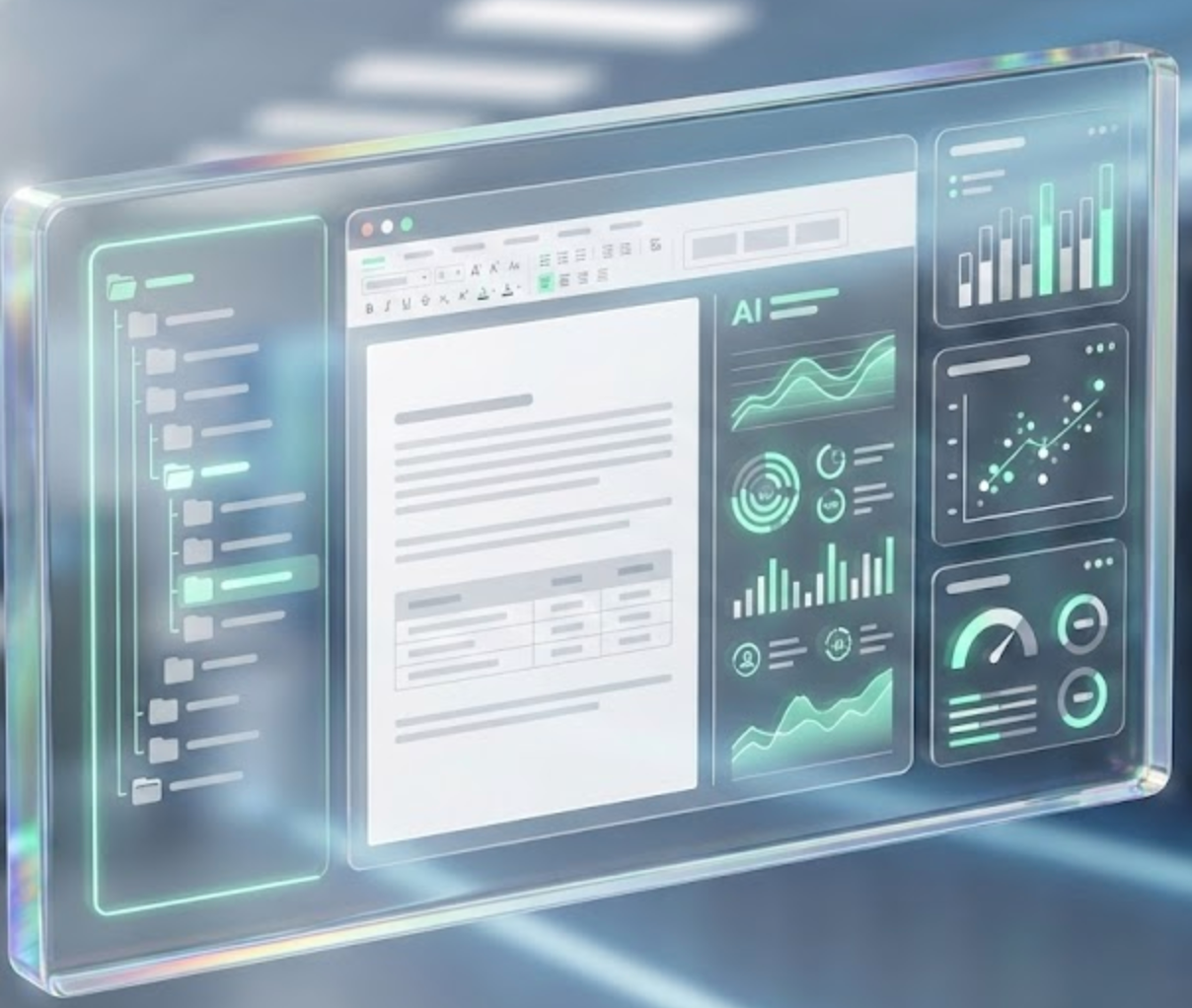
The AI-native workspace for legal and document-heavy work.








English | 中文
VS Code gives developers one place for files, extensions, terminals, Git, and AI coding assistants.
AI Workdeck aims to give lawyers and document-heavy teams one place for matters, documents, agents, plugins, evidence, and review.
Star AI Workdeck if you care about any of these problems:
- Building AI-native legal or professional-service workflows
- Moving from chatbot add-ons to a real workspace where files, context, agents, and plugins live together
- Self-hosting document AI infrastructure with private data, audit trails, and organization-level workflows
- Exploring MCP-style agent orchestration, document parsing, WPS WebOffice integration, AI slides, TTS, OCR, and evidence-chain workflows in one codebase
AI Workdeck Community Edition is the open-source kernel of AI Workdeck. It is not the full commercial SaaS product. The kernel is published so developers, law firms, legal-tech builders, and document-AI teams can inspect, self-host, integrate, and extend the core workflow infrastructure.
Just want to try it? You don't need to build from source.
➡️ Download the latest desktop app
| Platform | Installer | Notes |
|---|---|---|
| macOS (Apple Silicon) | AI Workdeck-<version>-arm64.dmg |
Signed and notarized |
| macOS (Intel) | AI Workdeck-<version>.dmg |
Signed and notarized |
| Windows | AI Workdeck Setup <version>.exe |
Not yet code-signed; SmartScreen may warn |
Double-click to install. On first launch, a setup wizard lets you pick one AI provider — a cloud API key, or a fully local model via Ollama (zero key, data never leaves your machine). No Java, Docker, or PostgreSQL required: the backend, a trimmed JRE, and a local database are bundled in.
The desktop build is the fastest way to evaluate AI Workdeck. To self-host the full stack or contribute code, see Quick Start below.
| Website | aiworkdeck.com |
| Product walkthrough | Intro video |
| Feature showcase | AI Workdeck Showcase |
| Area | What the kernel provides |
|---|---|
| Workspace | Project/file tree, document staging, favorites, clipboard memory, work logs |
| AI document work | Drafting, review, extraction, desensitization, Markdown and document preview |
| Agent layer | Main agent interface, streaming responses, contextual file tags, MCP-oriented orchestration |
| Document editing | WPS WebOffice integration, online DOCX/XLSX editing, document links, diff viewing |
| Parsing and generation | MinerU document parsing, AI PPT generation, text-to-speech workflows |
| Plugin surface | Left-sidebar plugins, tool configuration, dedicated panes for vertical workflows |
| Deployment | Java/Spring backend, Vue/uni-app frontend, Electron desktop shell, Dockerized services |
| Governance | Private deployment path, audit-friendly workflow records, commercial licensing path |
flowchart TB
  User["User workspace"] --> IDE["IDE interaction layer"]
  IDE --> WPS["WPS WebOffice integration"]
  IDE --> Agent["Agent and chat interface"]
  Agent --> MCP["MCP / tool orchestration"]
  MCP --> Skills["Document skills and plugins"]
  Skills --> Data["PostgreSQL, object storage, file context"]
  Skills --> Services["MinerU, PPTX service, TTS, OCR"]
  Data --> Security["Private deployment and audit controls"]
  Services --> Security
AI Workdeck is designed for self-hosted, private deployment. The following diagram shows which components process data locally vs. externally:
┌─────────────────────────────────────────────────────────────────┐
│  Your Infrastructure (private network)                          │
│                                                                 │
│  ┌──────────┐  ┌──────────┐  ┌──────────┐  ┌────────────────┐  │
│  │ AI Agent │  │  MinerU  │  │   PPTX   │  │ Sensitive Data │  │
│  │ (Ollama) │  │ (Docker) │  │ (Docker) │  │    Masking     │  │
│  │  LOCAL   │  │  LOCAL   │  │  LOCAL   │  │     LOCAL      │  │
│  └──────────┘  └──────────┘  └──────────┘  └────────────────┘  │
│                                                                 │
│  ┌──────────┐  ┌──────────┐  ┌──────────────────────────────┐  │
│  │PostgreSQL│  │   RAG    │  │    Local File Storage        │  │
│  │  LOCAL   │  │  LOCAL   │  │          LOCAL               │  │
│  └──────────┘  └──────────┘  └──────────────────────────────┘  │
│                                                                 │
├────────────────────────── Optional External ────────────────────┤
│  ┌──────────┐  ┌──────────┐  ┌──────────┐  ┌──────────────┐   │
│  │   OCR    │  │   TTS    │  │ Company  │  │  Gemini /    │   │
│  │ (Aliyun) │  │(ElevenLb)|  │(Qichacha)│  │  OpenRouter  │   │
│  │ EXTERNAL │  │ EXTERNAL │  │ EXTERNAL │  │  CONFIGURABLE│   │
│  └──────────┘  └──────────┘  └──────────┘  └──────────────┘   │
└─────────────────────────────────────────────────────────────────┘
| Component | Default Location | Can Run Locally? | Notes |
|---|---|---|---|
| AI inference (chat/agent) | Local (Ollama) | ✅ Yes | Default is localhost:11434 |
| RAG / embeddings | Local (Apache Tika) | ✅ Yes | InMemoryEmbeddingStore |
| Document parsing (MinerU) | Local (Docker) | ✅ Yes | No external call |
| PPTX generation | Local (Docker) | ✅ Yes | No external call |
| Sensitive data masking | Local (regex) | ✅ Yes | Chinese PII patterns, no external call |
| Document storage | Local filesystem | ✅ Yes | Configurable: local / OSS / S3 |
| OCR | External (Aliyun) | Can be disabled | |
| Text-to-speech | External (ElevenLabs) | Can be disabled | |
| Company data lookup | External (Qichacha) | Optional feature | |
| AI model (cloud) | External (Gemini/OpenRouter) | ✅ Use Ollama | Configurable provider |
For air-gapped deployments: Ollama + local storage + MinerU + PPTX service keeps all documents entirely within your network. Disable OCR, TTS, and cloud AI providers — the core workspace, document editing, agent orchestration, and due-diligence workflows function without external services.
Status: Foundation in place, cryptographic provenance is on the roadmap.
The Community Edition currently provides relational audit logging:
- Activity logging:
UserActivityLogrecords every user action (LOGIN, OPEN_FILE, PAGE_VIEW, etc.) with timestamps via Hibernate@CreationTimestampand metadata stored as JSON - Due-diligence tracking:
DdItemrecords state transitions (PENDING → UPLOADED → APPROVED/REJECTED) withuploadedAtanduploadedBy - Conversation audit:
ConversationFileChangelogs document additions and modifications per session - File metadata:
ProjectFilestorescreatedAt/updatedAttimestamps and file paths in PostgreSQL
What is NOT yet implemented (on the roadmap):
- Cryptographic document hashing (SHA-256 checksums)
- Tamper-evident audit trails (Merkle chains or signed logs)
- File version history and diff tracking
- Immutable append-only evidence log
The architecture's plugin surface is designed to accommodate these features. If you need cryptographic provenance for compliance or litigation support, please open an issue describing your requirements — it helps us prioritize.
Usually yes — with one nuance worth understanding. AGPLv3 affirms your right to run the software and to modify it for your own use. Running an unmodified copy internally creates no source-disclosure obligation. If you modify AI Workdeck and then make the modified version available to people over a network — which can include your own lawyers and staff using it as an internal web application — AGPLv3 Section 13 can require you to offer those users the corresponding source code of your modified version. That source stays within your firm: you are not required to publish it to the public or to us. If you would rather keep your modifications, plugins, or integrations proprietary and free of any AGPLv3 obligation, a commercial license removes the copyleft requirement entirely.
Section 13 is triggered by network interaction with a modified version, and the people entitled to the corresponding source are the users of that modified version. Two common cases:
- Internal tool behind your firewall (modified). Your staff are the users. You may need to offer them the corresponding source, but you are not required to disclose it publicly or to us. An unmodified deployment carries no such obligation.
- Client-facing portal or external service (modified). Your clients are the users, and AGPLv3 would require offering them the source of your modified version. If you do not want to do that, a commercial license is the clean path.
The current architecture runs plugins in-process. Under AGPLv3, this means the copyleft may extend to proprietary plugins. If your firm plans to build proprietary workflow extensions, the commercial license provides a clean legal basis for:
- Closed-source plugins and integrations
- Proprietary on-premise deployment without source disclosure
- Commercial SaaS products built on the AI Workdeck kernel
See legal/COMMERCIAL-LICENSE.md or contact hi@aiworkdeck.com.
In a self-hosted deployment with Ollama + local storage + Docker services, documents never leave your network. No telemetry, no phone-home, no analytics by default. Optional external services (OCR, TTS, cloud AI) are explicitly configured and can be disabled entirely.
For developers who want to self-host the full stack or contribute code. If you just want to try the app, use Download & Run above instead.
| Requirement | Version |
|---|---|
| Docker Desktop | Latest (for MinerU, PPTX, TTS services) |
| Java | 17+ (JDK 21 also supported) |
| Node.js | 18+ |
| PostgreSQL | 14+ |
# 1. Clone
git clone https://github.com/zeweihan/aiworkdeck.git
cd aiworkdeck

# 2. Configure environment
cp backend/.env.example backend/.env.production
cp pptx-service/.env.example pptx-service/.env

# 3. Create database
# Create a PostgreSQL database named `checkba`
# or update backend environment variables for your own database name

# 4. Start all services
chmod +x restart-all.sh
./restart-all.sh| Service | URL |
|---|---|
| Frontend | http://localhost:5173 |
| Backend | http://localhost:9696 |
| PPTX service | http://localhost:5001 |
| MinerU service | http://localhost:8001 |
| EasyVoice | http://localhost:9549 |
Common optional providers: OpenRouter, Gemini, Qichacha, Tushare, ElevenLabs, PKULaw, WPS WebOffice, and object storage. Not every provider is required to inspect the code or run the basic workbench.
| Path | Purpose |
|---|---|
backend/ |
Spring Boot backend, agent/tool APIs, document services |
frontend/ |
Vue/uni-app web frontend for the workbench |
desktop/ |
Electron desktop shell |
pptx-service/ |
AI-native PPT generation service |
mineru-service/ |
MinerU-based document parsing service |
easyvoice/ |
Text-to-speech service |
docs/ |
Engineering notes, WPS integration notes, storage and workflow docs |
legal/ |
AGPLv3 license, CLA, commercial license, trademark terms |
- Cleaner one-command local demo with sample data
- Public plugin SDK and example plugins
- More legal-document workflows: due diligence, shareholder meeting review, contract review, evidence timelines
- Better self-hosting guides for private law-firm and enterprise deployments
- More auditable work records: version history, diff, citations, and review logs
- Bilingual documentation for the community edition
We welcome issues, discussions, docs improvements, integration notes, and focused pull requests. Please read CONTRIBUTING.md before submitting a PR.
Useful first contributions:
- Reproduce and document local setup paths on different operating systems
- Improve self-hosting docs and
.envexamples - Add plugin examples
- Add tests around document parsing, agent tool calls, and frontend workflows
- Improve English and Chinese documentation
AI Workdeck Community Edition is released under the GNU Affero General Public License v3.0.
If you modify this project and provide it as a network service, AGPLv3 generally requires that you provide the corresponding source code to users of that service.
Commercial licensing is available for:
- Closed-source SaaS delivery
- Proprietary on-premise delivery
- Commercial products that need to integrate the kernel without releasing proprietary modifications
- Dedicated enterprise support and implementation assistance
See LICENSE and COMMERCIAL-LICENSE.md. For commercial licensing, contact hi@aiworkdeck.com.
AI Workdeck® is a registered trademark in China (classes 9, 35, 42). Building on the kernel is welcome under the licenses above, but using the AI Workdeck name or logo for a commercial offering requires a brand or certification agreement — see TRADEMARKS.md and the Brand & Certification Programs in COMMERCIAL-LICENSE.md.
Read WHY.md for the product thesis and founder story.
If this direction matters to you, please ⭐ star the repo and share it with someone building legal AI, document AI, or professional-service infrastructure.