This Admin Dashboard is a comprehensive front-end application built with React, TypeScript, and Tailwind CSS. It demonstrates best practices in modern web development with a focus on responsive design, component reusability, and efficient state management.
The dashboard features a clean, professional interface with multiple functional sections, data visualization components, and a fully interactive user experience. It is designed to showcase advanced front-end development skills while maintaining high standards of code quality and structure.
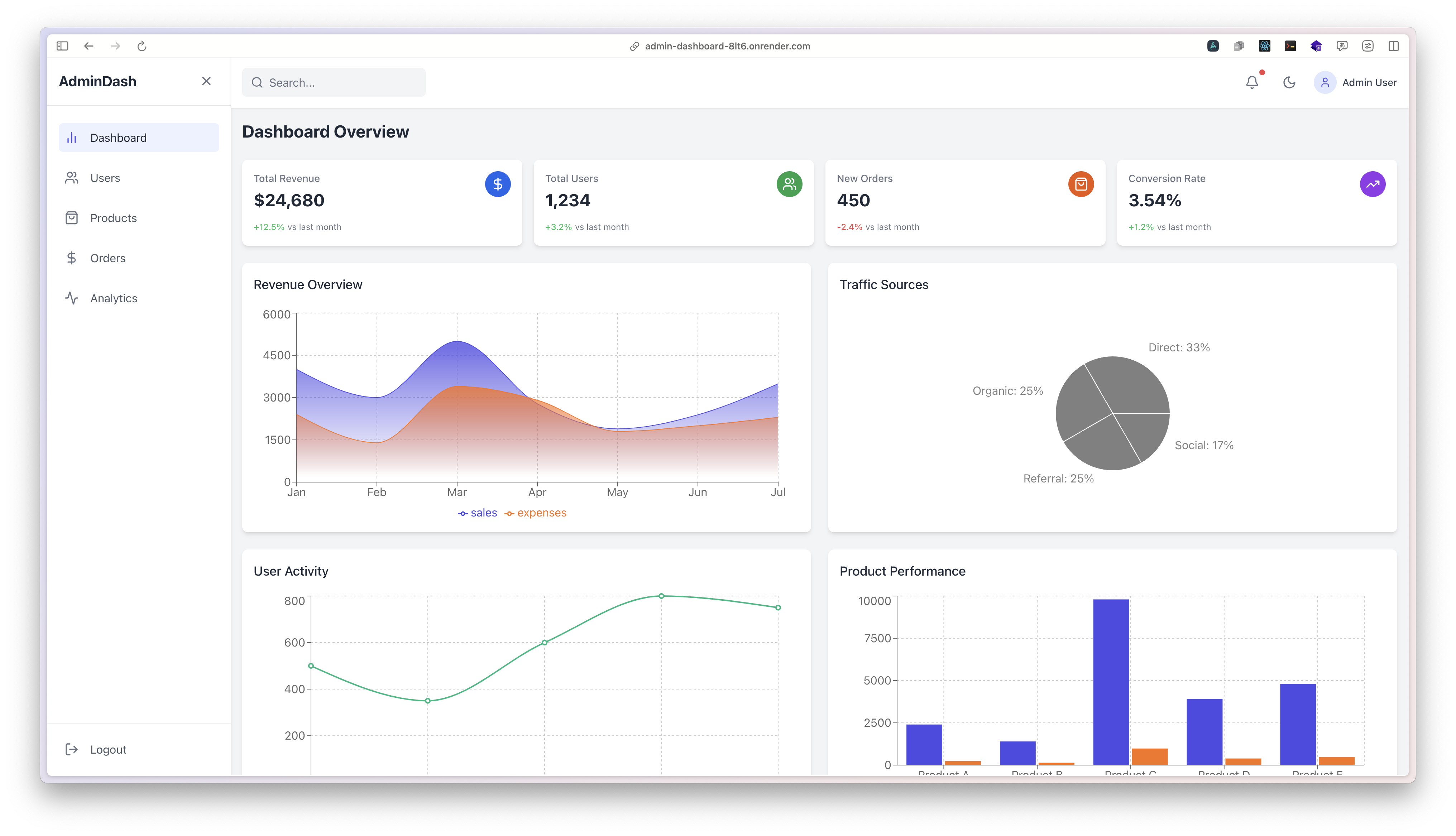
Experience the live application: Admin Dashboard Demo
- Multi-Page Dashboard Interface - Complete with Dashboard, Users, Products, Orders, and Analytics sections
- Interactive Data Visualization - Charts and graphs built with Recharts for intuitive data representation
- Responsive Design - Fully responsive layout that works seamlessly on desktop and mobile devices
- Dark/Light Mode - Theme toggle with persistent user preferences
- Collapsible Sidebar - Space-efficient navigation that adapts to different screen sizes
- TypeScript Implementation - Type-safe codebase with comprehensive interface definitions
- Component Architecture - Well-structured, reusable components following industry best practices
- Data Table Components - Sortable, filterable data tables with pagination
- Modern UI Design - Clean, professional interface built with Tailwind CSS
- React - UI component library
- TypeScript - Static type checking
- Tailwind CSS - Utility-first CSS framework
- Recharts - Composable charting library
- Lucide React - SVG icon collection
- React Hooks - State management and side effects
- Node.js (v14.0.0 or higher)
- npm or yarn
-
Clone the repository
git clone https://github.com/yourusername/admin-dashboard.git cd admin-dashboard -
Install dependencies
npm install # or yarn install -
Start the development server
npm start # or yarn start -
Build for production
npm run build
# or
yarn build
src/
├── App.tsx                   # Main application component
├── components/               # Reusable UI components
│   ├── cards/                # Statistical and information cards
│   ├── charts/               # Data visualization components
│   ├── layout/               # Structural layout components
│   └── tables/               # Data table components
├── data/                     # Sample data for demonstration
├── styles/                   # Global styles and Tailwind configuration
└── utils/                    # Utility functions and helpers
This project adheres to industry best practices:
- TypeScript Type Safety - Comprehensive type definitions for all components and data
- Component Modularity - Each component has a single responsibility with clear interfaces
- Accessibility (a11y) - ARIA attributes and keyboard navigation support
- Performance Optimization - Efficient rendering with React best practices
- Responsive Design - Mobile-first approach with Tailwind's responsive utilities
- Code Documentation - Clear documentation and comments throughout the codebase
The dashboard was built with a focus on modularity and reusability. The component architecture allows for easy extension and maintenance. The decision to use Tailwind CSS provides a consistent design system while enabling rapid UI development.
React Hooks (useState, useEffect) are used for local state management within components. For a production application, this could be extended with Context API or Redux for global state management.
Components are optimized to prevent unnecessary re-renders. The application structure supports code splitting for production deployments to minimize initial load times.
Potential improvements that could be implemented:
- Integration with a back-end API for real data
- Authentication and authorization
- Advanced filtering and search capabilities
- Data export functionality
- Customizable dashboard layouts
- More advanced data visualizations
- Internationalization support
This project is available under the MIT License. See the LICENSE file for more information.
For inquiries or collaboration opportunities, please reach out via:
- Email: yourname@example.com
- LinkedIn: Your LinkedIn Profile
- Portfolio: Your Portfolio Website
This dashboard application was developed to showcase front-end development expertise for potential clients and employers. It demonstrates proficiency in modern web technologies and UI/UX design principles.