Instructions and scripts to build Linux From Scratch (LFS), version 13.0 (systemd edition), as simply as possible (I know, not that simple, but anyway).
First, this guide does not replace reading the whole LFS book. I highly recommend that you read it at least once. Only then you should use the automated scripts provided here. These scripts follow the systemd edition of the LFS 13.0 book.
This build will be accomplished inside a virtual machine. I'll be using Oracle VirtualBox, but you can use any tool of your personal preference. I'm running an Arch Linux VM, feel free to use your GNU/Linux distribution of choice. Just be sure to install the development tools available (base-devel package on Arch).
My VM has two virtual hard disks: one for the host (Arch Linux itself) and another for building LFS. You could also use a single hard disk with two partitions, that's also up to personal taste. I've decided to use two separate hard disks so I can completely isolate LFS from the host after the build. At the end, you'll be able to create a separate VM and boot from it directly.
The packages needed to build LFS were downloaded from here (633 MB), other mirrors are available here (look for the "LFS HTTP/FTP Sites" section, the file you need is lfs-packages-13.0.tar).
ℹ️ A note on the scripts: to keep the build fully automated, the scripts skip the LFS test suites (
make check/make test) and the purely interactive/verification steps from the book. The root password is set automatically toroot(see the Shadow step in chapter 8). The default timezone isAmerica/Sao_Pauloand the default locale isen_US.UTF-8; editlfs-system.sh/lfs-final.shif you want different values.
👉 Run commands below as root.
Create a partition and a filesystem in the virtual hard disk (/dev/sdb):
fdisk /dev/sdb
Use the following basic options: n- new partition, accept the default values, w- write changes
Create a filesystem, a mount point, and mount it:
mkfs.ext4 /dev/sdb1
mkdir /mnt/lfs
mount /dev/sdb1 /mnt/lfs
Add the following line to root's .bashrc:
export LFS=/mnt/lfs
Source the file:
source .bashrc
Download all the packages and extract them to $LFS/sources.
cd $LFS
cp /<location_of_the_package>/lfs-packages-13.0.tar .
tar xf lfs-packages-13.0.tar
mv 13.0 sources
chmod -v a+wt $LFS/sources
Copy all the shell scripts from this repository to your $LFS directory:
cp /<location_of_the_scripts>/*.sh $LFS
Create the basic filesystem for LFS:
mkdir -pv $LFS/{etc,var} $LFS/usr/{bin,lib,sbin}

for i in bin lib sbin; do
  ln -sv usr/$i $LFS/$i
done

case $(uname -m) in
  x86_64) mkdir -pv $LFS/lib64 ;;
esac

mkdir -pv $LFS/tools
Create the lfs user, used during the initial build process (you will have to type a password):
groupadd lfs
useradd -s /bin/bash -g lfs -m -k /dev/null lfs
passwd lfs
Make lfs own the directories it needs:
chown -v lfs $LFS/{usr{,/*},var,etc,tools}
case $(uname -m) in
  x86_64) chown -v lfs $LFS/lib64 ;;
esac
Login as the lfs user:
su - lfs
👉 Run commands below as lfs.
Create a .bash_profile file:
cat > ~/.bash_profile << "EOF"
exec env -i HOME=$HOME TERM=$TERM PS1='\u:\w\$ ' /bin/bash
EOF
Create a .bashrc file (note the MAKEFLAGS line, which makes every package build in parallel using all CPU cores):
cat > ~/.bashrc << "EOF"
set +h
umask 022
LFS=/mnt/lfs
LC_ALL=POSIX
LFS_TGT=$(uname -m)-lfs-linux-gnu
PATH=/usr/bin
if [ ! -L /bin ]; then PATH=/bin:$PATH; fi
PATH=$LFS/tools/bin:$PATH
CONFIG_SITE=$LFS/usr/share/config.site
export LFS LC_ALL LFS_TGT PATH CONFIG_SITE
EOF

cat >> ~/.bashrc << "EOF"
export MAKEFLAGS=-j$(nproc)
EOF

source ~/.bash_profile
If your host's Bash uses /etc/bash.bashrc, move it out of the way so it does not leak host settings into the lfs environment (run as root; skip if the file does not exist):
[ ! -e /etc/bash.bashrc ] || mv -v /etc/bash.bashrc /etc/bash.bashrc.NOUSE
Run the lfs-cross.sh script, which will build the cross toolchain and cross compiling temporary tools from chapters 5 and 6:
sh $LFS/lfs-cross.sh | tee $LFS/lfs-cross.log
Exit from the lfs user to become root again:
exit
👉 Run commands below as root.
Make root own the filesystem again:
chown --from lfs -R root:root $LFS/{usr,var,etc,tools}
case $(uname -m) in
  x86_64) chown --from lfs -R root:root $LFS/lib64 ;;
esac
Prepare virtual kernel file systems:
mkdir -pv $LFS/{dev,proc,sys,run}
mount -v --bind /dev $LFS/dev
mount -vt devpts devpts -o gid=5,mode=0620 $LFS/dev/pts
mount -vt proc proc $LFS/proc
mount -vt sysfs sysfs $LFS/sys
mount -vt tmpfs tmpfs $LFS/run
if [ -h $LFS/dev/shm ]; then
  install -v -d -m 1777 $LFS$(realpath /dev/shm)
else
  mount -vt tmpfs -o nosuid,nodev tmpfs $LFS/dev/shm
fi
Enter the chroot environment (this sets MAKEFLAGS/TESTSUITEFLAGS so builds inside the chroot also run in parallel):
chroot "$LFS" /usr/bin/env -i   \
    HOME=/root                  \
    TERM="$TERM"                \
    PS1='(lfs chroot) \u:\w\$ ' \
    PATH=/usr/bin:/usr/sbin     \
    MAKEFLAGS="-j$(nproc)"      \
    TESTSUITEFLAGS="-j$(nproc)" \
    /bin/bash --login
Create essential directories, files and symlinks. Note the systemd edition adds several systemd-* users and groups to /etc/passwd and /etc/group:
mkdir -pv /{boot,home,mnt,opt,srv}
mkdir -pv /etc/{opt,sysconfig}
mkdir -pv /lib/firmware
mkdir -pv /media/{floppy,cdrom}
mkdir -pv /usr/{,local/}{include,src}
mkdir -pv /usr/lib/locale
mkdir -pv /usr/local/{bin,lib,sbin}
mkdir -pv /usr/{,local/}share/{color,dict,doc,info,locale,man}
mkdir -pv /usr/{,local/}share/{misc,terminfo,zoneinfo}
mkdir -pv /usr/{,local/}share/man/man{1..8}
mkdir -pv /var/{cache,local,log,mail,opt,spool}
mkdir -pv /var/lib/{color,misc,locate}

ln -sfv /run /var/run
ln -sfv /run/lock /var/lock

install -dv -m 0750 /root
install -dv -m 1777 /tmp /var/tmp

ln -sv /proc/self/mounts /etc/mtab

cat > /etc/hosts << EOF
127.0.0.1  localhost $(hostname)
::1        localhost
EOF

cat > /etc/passwd << "EOF"
root:x:0:0:root:/root:/bin/bash
bin:x:1:1:bin:/dev/null:/usr/bin/false
daemon:x:6:6:Daemon User:/dev/null:/usr/bin/false
messagebus:x:18:18:D-Bus Message Daemon User:/run/dbus:/usr/bin/false
systemd-journal-gateway:x:73:73:systemd Journal Gateway:/:/usr/bin/false
systemd-journal-remote:x:74:74:systemd Journal Remote:/:/usr/bin/false
systemd-journal-upload:x:75:75:systemd Journal Upload:/:/usr/bin/false
systemd-network:x:76:76:systemd Network Management:/:/usr/bin/false
systemd-resolve:x:77:77:systemd Resolver:/:/usr/bin/false
systemd-timesync:x:78:78:systemd Time Synchronization:/:/usr/bin/false
systemd-coredump:x:79:79:systemd Core Dumper:/:/usr/bin/false
uuidd:x:80:80:UUID Generation Daemon User:/dev/null:/usr/bin/false
systemd-oom:x:81:81:systemd Out Of Memory Daemon:/:/usr/bin/false
nobody:x:65534:65534:Unprivileged User:/dev/null:/usr/bin/false
EOF

cat > /etc/group << "EOF"
root:x:0:
bin:x:1:daemon
sys:x:2:
kmem:x:3:
tape:x:4:
tty:x:5:
daemon:x:6:
floppy:x:7:
disk:x:8:
lp:x:9:
dialout:x:10:
audio:x:11:
video:x:12:
utmp:x:13:
clock:x:14:
cdrom:x:15:
adm:x:16:
messagebus:x:18:
systemd-journal:x:23:
input:x:24:
mail:x:34:
kvm:x:61:
systemd-journal-gateway:x:73:
systemd-journal-remote:x:74:
systemd-journal-upload:x:75:
systemd-network:x:76:
systemd-resolve:x:77:
systemd-timesync:x:78:
systemd-coredump:x:79:
uuidd:x:80:
systemd-oom:x:81:
wheel:x:97:
users:x:999:
nogroup:x:65534:
EOF

echo "tester:x:101:101::/home/tester:/bin/bash" >> /etc/passwd
echo "tester:x:101:" >> /etc/group
install -o tester -d /home/tester

exec /usr/bin/bash --login
Now create the log files (run right after the exec above re-reads the new user database):
touch /var/log/{btmp,lastlog,faillog,wtmp}
chgrp -v utmp /var/log/lastlog
chmod -v 664  /var/log/lastlog
chmod -v 600  /var/log/btmp
Run the lfs-chroot.sh script, which will build additional temporary tools:
sh /lfs-chroot.sh | tee /lfs-chroot.log
Cleanup before the final build phase:
rm -rf /usr/share/{info,man,doc}/*
find /usr/{lib,libexec} -name \*.la -delete
rm -rf /tools
For the basic system build phase (chapter 8), run the lfs-system.sh script. This is the longest phase and builds the whole base system (glibc, gcc, systemd, etc.). The root password is set to root automatically during this phase:
sh /lfs-system.sh | tee /lfs-system.log
Run the final script to configure the system, build the Linux kernel and install the GRUB bootloader (chapters 9 to 11):
sh /lfs-final.sh | tee /lfs-final.log
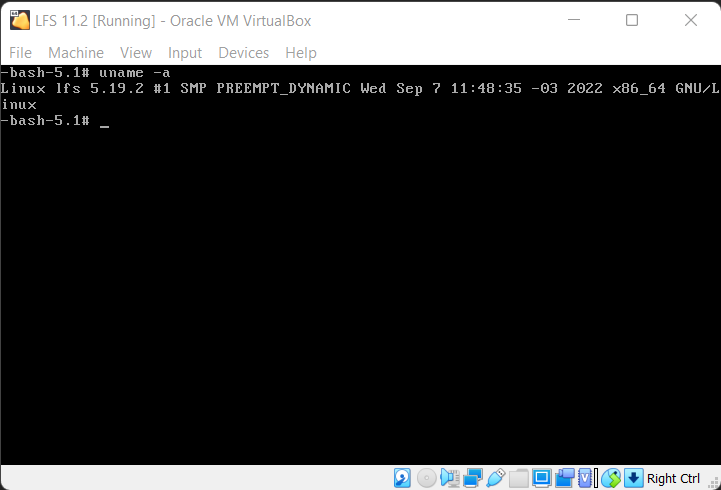
You can now create a new VM using the virtual hard disk with the LFS build. It will be bootable and fully functional. Log in as root with the password root. Enjoy!