



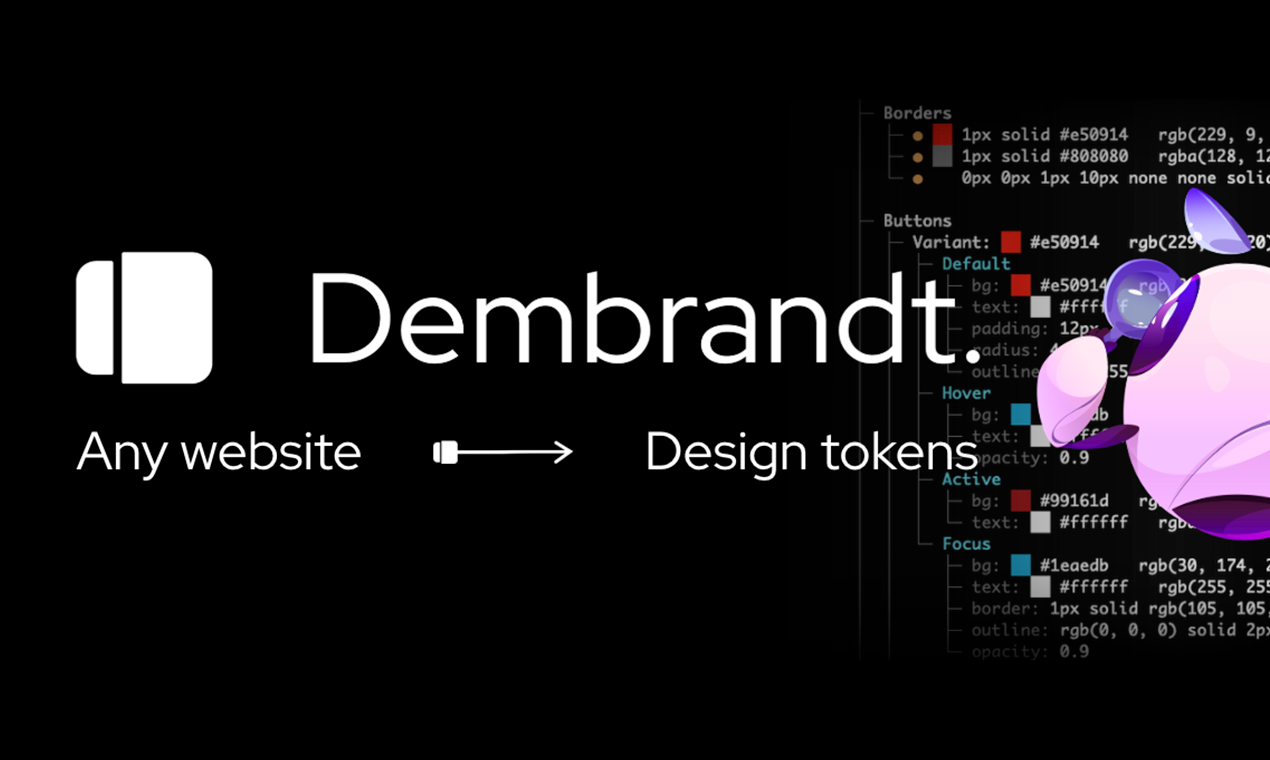
Extract a website's design system into design tokens in a few seconds: logo, colors, typography, borders, and more. One command.
Install globally: npm install -g dembrandt
dembrandt example.comOr use npx without installing: npx dembrandt example.com
Requires Node.js 18+
Use Dembrandt as a tool in Claude Code, Cursor, Windsurf, or any MCP-compatible client. Ask your agent to "extract the color palette from example.com" and it calls Dembrandt automatically.
claude mcp add --transport stdio dembrandt -- npx -y --package dembrandt dembrandt-mcpOr add to your project's .mcp.json:
{
  "mcpServers": {
    "dembrandt": {
      "command": "npx",
      "args": ["-y", "--package", "dembrandt", "dembrandt-mcp"]
    }
  }
}
Available tools include get_design_tokens, get_color_palette, get_typography, get_component_styles, get_surfaces, get_spacing, and get_brand_identity, plus drift, report, and job-control tools.
Pair with dembrandt-skills to give your agent UX intelligence on top of extracted tokens — hierarchy, accessibility, interaction states, and a full 6-stage design pipeline orchestrator.
npx skills add dembrandt/dembrandt-skillsLoad extractions, track token drift, and compare snapshots. dembrandt.com/app
- Drift tracking. Pin a snapshot as your baseline. Run another extraction later. Get a visual report of what changed.
- Visual diff. Color swatches, before/after values, delta scores per category.
- Snapshot history. GitHub-style calendar per domain.
- Copy tokens. Paste values straight into Copilot, Claude, or Cursor.
- No login. Your data stays in the browser. Drift is computed locally — nothing is sent to any server.
dembrandt.com/recipes — ready-to-run workflows. Copy a command, paste a prompt, get a result. Covers competitor benchmarking, WCAG audits, CI/CD drift detection, Figma token push, and agentic design system builds. Filterable by role.
- Colors (semantic, palette, CSS variables, gradients)
- Typography (fonts, sizes, weights, sources)
- Spacing (margin/padding scales)
- Borders (radius, widths, styles, colors)
- Shadows
- Motion (duration scale, easing curves, hover patterns per component type)
- Components (buttons, badges, inputs, links)
- Breakpoints
- Icons & frameworks
dembrandt <url>                        # Basic extraction (terminal display only)
dembrandt example.com --json-only      # Output raw JSON to terminal (no formatted display, no file save)
dembrandt example.com --save-output    # Save JSON to output/example.com/YYYY-MM-DDTHH-MM-SS.json
dembrandt example.com --dtcg           # Export in W3C Design Tokens (DTCG) format (auto-saves as .tokens.json)
dembrandt example.com --dark-mode      # Extract colors from dark mode variant
dembrandt example.com --mobile         # Use mobile viewport (390x844) for responsive analysis
dembrandt example.com --slow           # 3x longer timeouts (24s hydration) for JavaScript-heavy sites
dembrandt example.com --brand-guide    # Generate a brand guide PDF
dembrandt example.com --design-md      # Generate a DESIGN.md file for AI agents
dembrandt example.com /pricing /docs   # Extract specific paths and merge results into one output
dembrandt example.com --crawl 5        # Analyze 5 pages (homepage + 4 discovered pages), merges results
dembrandt example.com --sitemap        # Discover pages from sitemap.xml instead of DOM links
dembrandt example.com --crawl 10 --sitemap # Combine: up to 10 pages discovered via sitemap
dembrandt example.com --no-sandbox     # Disable Chromium sandbox (required for Docker/CI)
dembrandt example.com --browser=firefox # Use Firefox instead of Chromium (better for Cloudflare bypass)
dembrandt example.com --wcag           # WCAG 2.1 contrast analysis — real DOM pairs, AA/AAA grades
dembrandt example.com --stealth        # Opt-in anti-detection: navigator spoofing + human mouse simulation (use only when authorized)
dembrandt example.com --locale fi-FI --timezone Europe/Helsinki  # Browser fingerprint: locale and timezone
dembrandt example.com --user-agent "Mozilla/5.0 ..."            # Custom user agent string
dembrandt example.com --accept-language "fi,en;q=0.9"           # Custom Accept-Language header
dembrandt example.com --screen-size 2560x1440                   # Physical screen resolution to report
Default: formatted terminal display only. Use --save-output to persist results as JSON files. Browser automatically retries in visible mode if headless extraction fails.
Analyze multiple pages to get a more complete picture of a site's design system. Results are merged into a single unified output with cross-page confidence boosting: tokens appearing on multiple pages get higher confidence scores.
# Analyze homepage + 4 auto-discovered pages (default: 5 total)
dembrandt example.com --crawl 5

# Use sitemap.xml for page discovery instead of DOM link scraping
dembrandt example.com --sitemap

# Combine both: up to 10 pages from sitemap
dembrandt example.com --crawl 10 --sitemap
Page discovery works two ways:
- DOM links (default): Reads navigation, header, and footer links from the homepage, prioritizing key pages like /pricing, /about, /features
- Sitemap (
--sitemap): Parses sitemap.xml (checks robots.txt first), follows sitemapindex references, and scores URLs by importance
Pages are fetched sequentially with polite delays. Failed pages are skipped without aborting the run.
By default, dembrandt uses Chromium. If you encounter bot detection or timeouts (especially on sites behind Cloudflare), try Firefox which is often more successful at bypassing these protections:
# Use Firefox instead of Chromium
dembrandt example.com --browser=firefox

# Combine with other flags
dembrandt example.com --browser=firefox --save-output --dtcg
When to use Firefox:
- Sites behind Cloudflare or other bot detection systems
- Timeout issues on heavily protected sites
- WSL environments where headless Chromium may struggle
Installation:
Browsers are installed on demand, not by npm install (dembrandt depends on the lean playwright-core, which carries no browser binaries). Fetch the engine you need, matched to the installed playwright-core:
npm run install-browser   # chromium (default)
# or a specific engine:
npx playwright@$(node -p "require('playwright-core/package.json').version") install firefoxSkip the bundled browser entirely and drive an already-running Chromium over the DevTools Protocol. Useful in CI or containers where a browser is already up, and it needs no local browser download at all:
BROWSER_CDP_ENDPOINT=http://localhost:9222 dembrandt example.com --browser chromiumCDP is supported only with --browser chromium.
Use --dtcg to export in the standardized W3C Design Tokens Community Group format:
dembrandt example.com --dtcg
# Saves to: output/example.com/TIMESTAMP.tokens.json
The DTCG format is an industry-standard JSON schema that can be consumed by design tools and token transformation libraries like Style Dictionary.
Use --design-md to generate a DESIGN.md file, a plain-text design system document readable by AI agents. The export follows Google's DESIGN.md draft format: YAML design tokens in front matter plus ordered Markdown guidance sections.
dembrandt example.com --design-md
# Saves to: output/example.com/DESIGN.md
DESIGN.md reports only what Dembrandt observed on the source site. Exact values (colors, typography, spacing, radii, shadows) live in the YAML front matter when available, and the Markdown body adds human-readable context. Sections with no extracted evidence are omitted rather than filled with invented defaults. For example, the elevation section is dropped when the site uses no box-shadow tokens.
Use --wcag to check accessibility contrast ratios across the page. Unlike palette-based checkers, dembrandt walks the actual DOM and finds what color is rendered on top of what background — per element.
dembrandt dembrandt.com --wcagReturns every text/background pair with contrast ratio and WCAG 2.1 grade (AA, AA-Large, AAA, or fail), sorted by how often each pair appears. Results are shown in terminal and included in JSON output as wcag.
Also captures interactive state contrast: dembrandt simulates hover, focus, and disabled states on buttons, links, and inputs and checks contrast on each state. State pairs are tagged [hover], [focus], or [disabled] in output so you can catch contrast failures that only appear on interaction.
Motion tokens are extracted automatically on every run — no flag needed. Dembrandt analyzes CSS transitions and animations across the page and returns a structured motion profile.
dembrandt dembrandt.comReturns:
- Duration scale: all unique animation durations found on the page
- Easing curves: named easing types (ease-out, spring, custom cubic-bezier) with usage counts
- Per-context profiles: motion behavior by component type (button, nav, card, modal, hero)
- Hover interaction deltas: which properties animate on hover (transform, opacity, background, color) and the pattern (scale-up, fade-in, color-shift, slide-y)
Motion data is included in JSON output as motion and printed in terminal under a dedicated Motion section.
Use --brand-guide to generate a printable PDF summarizing the extracted design system: colors, typography, components, and logo on a single document.
dembrandt example.com --brand-guide
# Saves to: output/example.com/TIMESTAMP.brand-guide.pdfDembrandt drives a real browser, so the browser revision must match playwright-core.
If you are not using the Playwright container image, install the browser revision that matches playwright-core:
# in dembrandt's own repo
npm run install-browser
# elsewhere — derive the version so it always matches
npx playwright@$(node -p "require('playwright-core/package.json').version") install --with-deps chromium
A mismatched version fails with "Executable doesn't exist". The container image avoids this entirely — just match its tag (v1.60.0) to the playwright-core version.
Compare an extraction against a committed baseline and fail the job on drift:
# capture a baseline once (same environment you will check against)
dembrandt https://app.example.com --json-only > baseline.json

# in CI — exits non-zero on drift; writes a report artifact
dembrandt https://app.example.com --compare baseline.json --html report.html
When the change is intended, accept it as the new baseline — --approve overwrites the local baseline file and passes instead of failing:
dembrandt https://app.example.com --compare baseline.json --approveAdd --json-only to a --compare run to get the drift report as machine-readable JSON under a drift key — score, status, summary, and per-token changes[] (each with category, kind, before, after, delta). A CI gate can render exactly which tokens moved (e.g. in a PR comment) from this instead of parsing the HTML report:
dembrandt https://app.example.com --compare baseline.json --json-onlyAny CI. The gate is platform-neutral — it is just the exit code plus the drift JSON, so it drops into any runner:
dembrandt "$PREVIEW/checkout" --compare base.json --json-only > drift.json
# exit 1 = drift. Read drift.json (.drift.changes) and surface it however your
# platform does: a GitLab MR note, an Azure DevOps PR thread, a Jenkins status,
# a Slack message, or an auto-filed Jira/Linear ticket.
A ready-to-use GitHub Actions workflow (preview vs production, per-page PR comment with the exact tokens that changed, run summary, report artifact, host-auth bypass) is in examples/drift-gate.yml as one full reference. The result-surfacing step (annotations, PR comment) is the only platform-specific part; the extract → compare → branch-on-exit-code core is identical on GitLab CI, Jenkins, and Azure DevOps.
A pipeline can branch on the exit code; "design drifted" and "extraction broke" are distinct:
| Code | Meaning |
|---|---|
0 |
Success, or stable (no drift) under --compare |
1 |
Drift detected (--compare) |
2 |
Extraction failure (EXTRACTION_FAILED, BROWSER_UNAVAILABLE) |
67 |
Navigation/connection timeout (NAVIGATION_TIMEOUT) — retryable, try --slow |
With --json-only, a failure also prints a machine-readable { "error": { "code", "message" } } to stdout.
Quick brand scan
dembrandt dembrandt.comCompare two sites
dembrandt dembrandt.com --save-output
dembrandt braintree.com --save-output
# Compare output/dembrandt.com and output/braintree.com side by side
Multi-page audit — get a fuller picture across the whole site
dembrandt dembrandt.com --crawl 10 --sitemap --save-outputSpot-check a value — verify a specific token fast
dembrandt dembrandt.com --json-only | grep -i "border-radius"Export for Tailwind — get spacing and color values into your config
dembrandt dembrandt.com --dtcg --save-output
# Use the .tokens.json with Style Dictionary to generate tailwind.config.js
Export for Tokens Studio / Figma
dembrandt dembrandt.com --dtcg --save-output
# Import the .tokens.json directly into Tokens Studio
Generate DESIGN.md for your AI agent
dembrandt dembrandt.com --design-md
# Point your agent at the output DESIGN.md
Accessibility audit — check contrast on any live URL
dembrandt dembrandt.com --wcagRegression baseline — snapshot now, catch drift later
dembrandt myapp.com --save-output --dtcg
# Store output as baseline, re-run after deploys and diff
CI / headless environments
dembrandt myapp.com --no-sandbox --save-output- Design system documentation
- Multi-site design consolidation
- Internal design audits on your own properties
- Learning how design tokens map to real CSS
Uses Playwright to render the page, reads computed styles from the DOM, analyzes color usage and confidence, groups similar typography, detects spacing patterns, and returns design tokens.
- Browser Launch - Launches browser (Chromium by default, Firefox optional) with stealth configuration
- Anti-Detection - Injects scripts to bypass bot detection
- Navigation - Navigates to target URL with retry logic
- Hydration - Waits for SPAs to fully load (8s initial + 4s stabilization)
- Content Validation - Verifies page content is substantial (>500 chars)
- Parallel Extraction - Runs all extractors concurrently for speed
- Analysis - Analyzes computed styles, DOM structure, and CSS variables
- Scoring - Assigns confidence scores based on context and usage
- High: Logo, primary interactive elements
- Medium: Secondary interactive elements, icons, navigation
- Low: Generic UI components (filtered from display)
- Only shows high and medium confidence colors in terminal. Full palette in JSON.
- Dark mode requires
--dark-modeflag (not automatically detected) - Hover/focus states extracted from CSS (not fully interactive)
- Canvas/WebGL-rendered sites cannot be analyzed (no DOM to read)
- JavaScript-heavy sites require hydration time (8s initial + 4s stabilization)
- Some dynamically-loaded content may be missed
- Default viewport is 1920x1080 (use
--mobilefor 390x844 mobile viewport)
Dembrandt reads publicly available CSS and computed styles from website DOMs for documentation, learning, and analysis of design systems you own or have permission to analyze.
Only run Dembrandt against sites whose Terms of Service permit automated access, or against your own properties. Do not use extracted material to reproduce third-party brand identities, logos, or trademarks. Respect robots.txt, rate limits, and copyright.
Dembrandt does not host, redistribute, or claim rights to any third-party brand assets.
The CLI is MIT-licensed and free. Sponsorship funds the enforcement layer: a committed project-level token baseline, --compare and the ingest API for CI/CD drift gates, and the App platform (snapshot history, team drift dashboard, alerts to Slack, Linear, and GitHub).
Bugs, weird sites, pull requests. All welcome.
Open an Issue or PR.
@thevangelist
MIT. Do whatever you want with it.