
Your thinking deserves a map. An infinite canvas where LLM conversations grow into an editable thought graph.


中文 · Quick start · How it differs · Research · Models & privacy

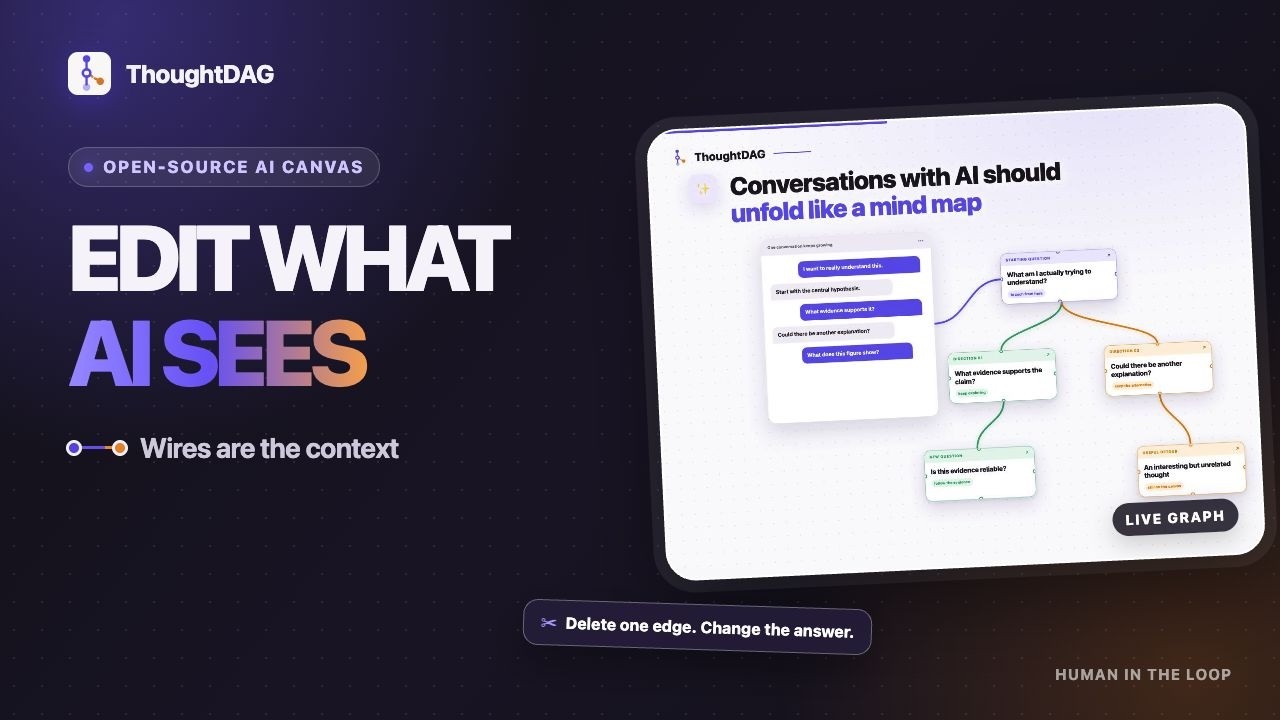
Wires are the context. What the model sees is exactly what wires into the node. Editing the graph edits the model's memory.
Many tools put conversations on a canvas. In ThoughtDAG, a wire is not decoration or an execution route. It determines what the model sees next.
One principle behind every gesture: the human in the loop, the model on the wires. No autonomous agent redraws your graph.
 |
The model sees only what wires in. Delete the noise edge, ask again, and the same prompt returns a clean answer. Reproduce it in chapter ③ of the example canvas. |
|
Select a passage, ask right there. The answer lands on the canvas with its page number, and the p.N chip jumps back to the page. Finish the paper, and the map is drawn. |
 |
 |
Merge nodes into one higher conclusion; weave your highlights into cited prose. Then zoom through full cards, takeaway plaques and an icon skeleton. The graph folds inward instead of sprawling. |
Many products use nodes and edges, but the graph does a different job in each category.
| Product category | How it differs from ThoughtDAG |
|---|---|
| Linear chat | Context follows one chronological thread; ThoughtDAG selects and merges visible paths. |
| Mind maps and whiteboards | Edges organize ideas for people; ThoughtDAG edges also change model input. |
| Branching chat canvases | They usually follow one inherited branch; ThoughtDAG can merge or prune several paths. |
| Workflow and agent canvases | Edges run tasks and data; ThoughtDAG edges control conversational context. |
| RAG and automatic memory | The system retrieves context automatically; ThoughtDAG makes the selection visible and editable. |
ThoughtDAG is a user-authored context graph: incoming paths and explicit references form the next request, while excluded work stays visible on the canvas.
Download, open, think. The download page detects your platform and gives you the right installer; Releases keeps every build. macOS builds are signed and notarized. Windows builds are not signed yet and may show a SmartScreen warning.
npm install
npm run server    # LLM proxy :3001
npm run dev       # → localhost:5173
# No .env? Connect any OpenAI-compatible endpoint inside the app
Environment variables, local models and connection details → docs/setup.md
Want a ten-second look before installing anything? The hosted demo runs in the browser, and the example canvas needs no key. It is a feature subset: keyless web search, some direct-connection tools and the subscription bridge are desktop/local-only.
When misleading context enters an LLM conversation, how much of the affected path must be removed before the answer recovers?
68/72 cases recovered after deleting only the misleading source. 72/72 recovered after removing the contaminated subgraph.
This does not explain hidden model reasoning or rank models. It tests a narrower, observable claim: changing visible context changes the next answer.
📖 Read the first case study · 📊 Methodology and results · 💬 Suggest a model for the next run
| Capability | What it does |
|---|---|
| 📤 Read-only share | One link carries the whole graph: no account, no server storage |
| 🧭 Staleness & replay | Upstream edits mark the answers they invalidate; replay in dependency order, token estimate first |
| ✂️ Clipping | Select a passage or drag a rectangle in the reader; it becomes canvas material with page provenance |
| 🔌 Any model | Per-node pins that follow the line; text-only models read images through their companion text |
| 🔒 Local-first | Automatic folder backup writes real files; point it at a synced folder for cross-device |
Full feature list (60+, grouped by area) → docs/features.md
Automatic folder backup keeps the canvas as a live .thoughtdag.json file in your project; Markdown export turns any context chain or selection into a plain .md. Coding agents can read either without a plugin, API or server.
Connect a local Ollama or any OpenAI-compatible endpoint. Built-in presets, subscription connections and environment variables are documented in setup.
- The free model tier covers every feature; a local Ollama runs fully offline
- In the desktop app everything lives on your machine: canvases, keys, documents; on the web demo, model traffic runs browser-direct and keys never touch the server
- PDFs never leave your machine; only extracted text travels when you ask
- The backup format stays backward compatible; Markdown export is the permanent escape hatch
With gratitude to @andreilaiter, ThoughtDAG's first supporter, and to everyone helping this independent open-source project grow.
