



Batch-migrate repositories between GitHub and Gitea from a terminal UI. migtea
(migrate to Gitea) is a Textual TUI that drives
the official gh and tea CLIs: it preflights both tools, diffs your GitHub
account against a Gitea instance, lets you tick the repositories that are missing,
totals their sizes, and migrates each one (wiki, LFS, issues, and more) with
per-repo and overall progress.
Website: botmonster.com/migtea
Run it with no install:
uvx migteaGitea's web "New Migration" page moves exactly one repository per submission.
The engine behind it has no such limit, and neither does the tea CLI's
tea repos migrate. migtea orchestrates that CLI across every repository you
select, so moving a whole account is one pass instead of one form per repo.
migtea does not bundle or install these; it uses whatever is already on your
PATH, installed the official way:
- GitHub CLI (
gh), logged in (gh auth login). - Gitea CLI (
tea), with at least one login configured (tea login add). - uv to run
uvx migtea(orpip install migtea). gitis additionally required for the reverse (Gitea to GitHub) direction.
If a tool or login is missing, migtea's preflight screen prints the exact official command to fix it and waits for you to re-check. It never pipes a script into your shell and never installs anything itself.
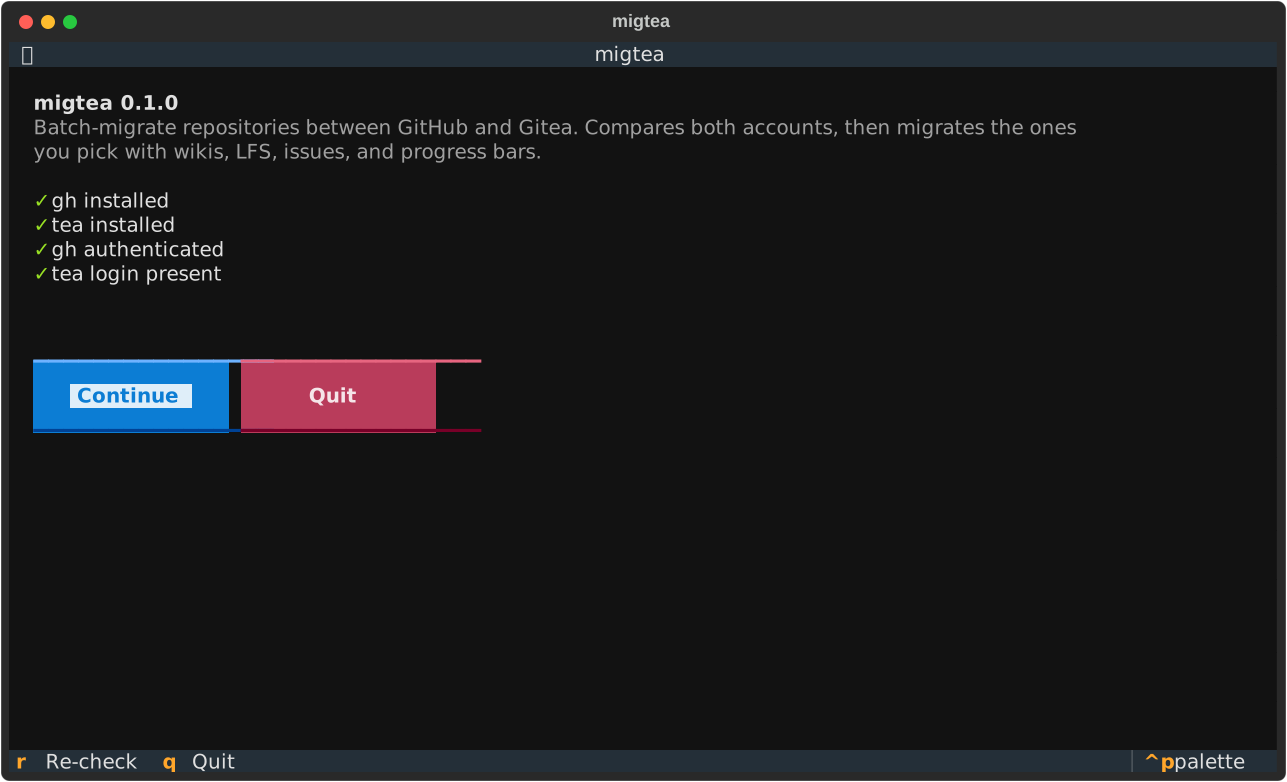
1. Preflight. migtea checks that gh and tea are installed and logged in
before anything else. If a check fails it prints the exact official command to
fix it and waits; press r to re-check. Nothing runs until all four pass.
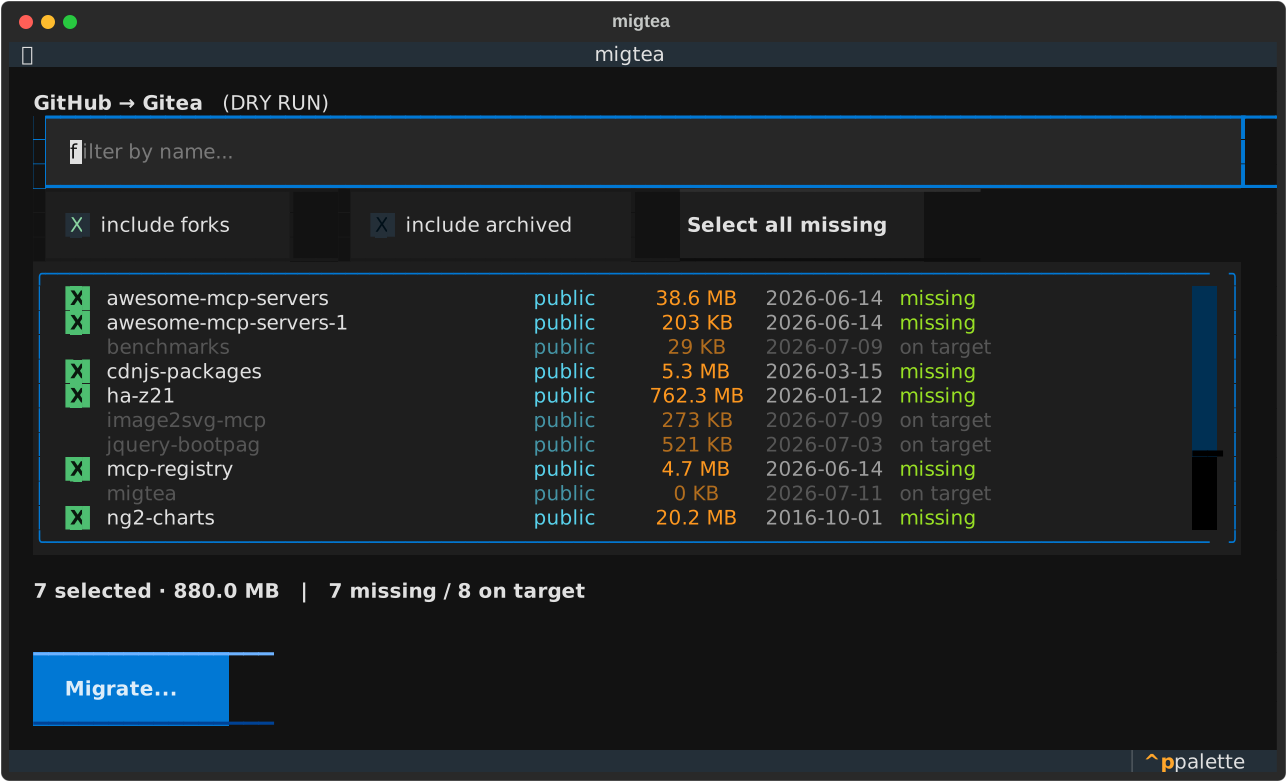
2. Select. The full diff of both accounts, one row per GitHub repo with its visibility, size, and last push. Repos missing on the target are selectable; those already there are dimmed. Tick rows with space, filter by name, toggle forks and archived in or out, or hit "Select all missing". The footer keeps a running count and total size of what you have selected.
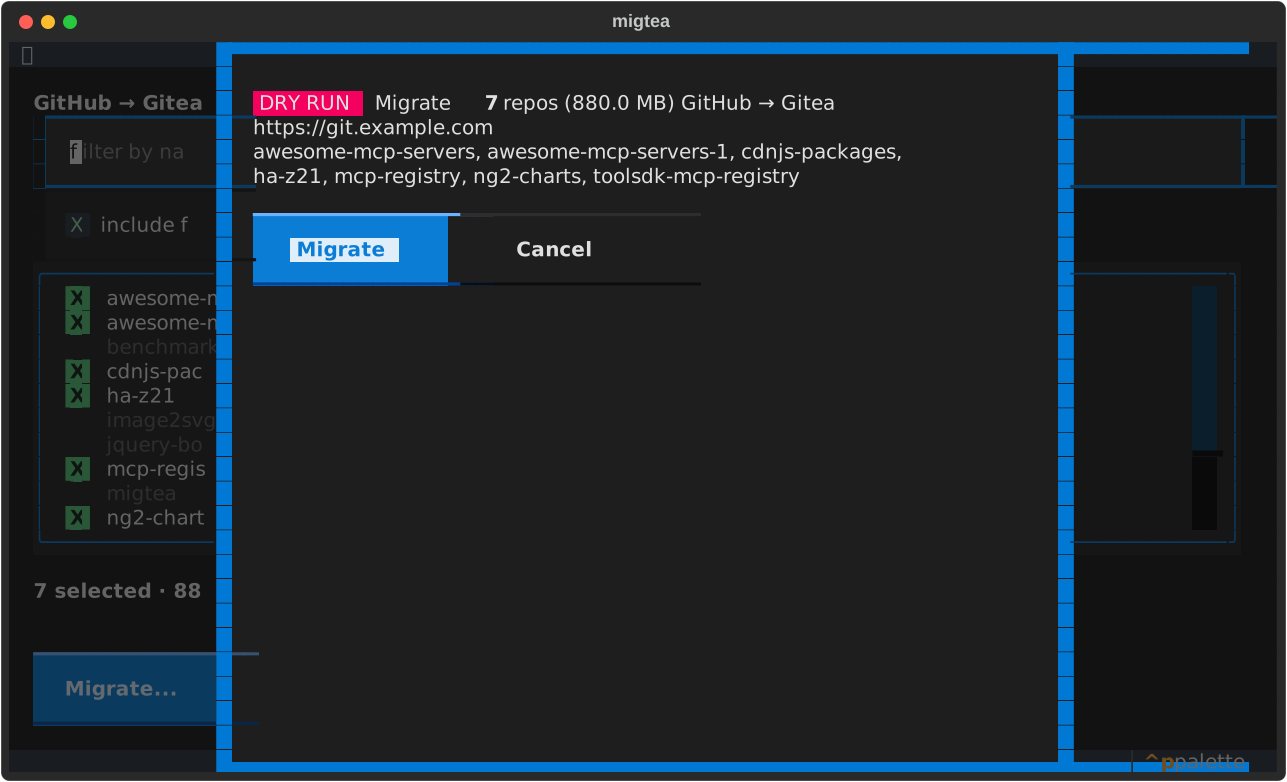
3. Confirm. A summary of exactly what is about to happen: how many repos, the total size, and the target instance, so nothing migrates by accident.
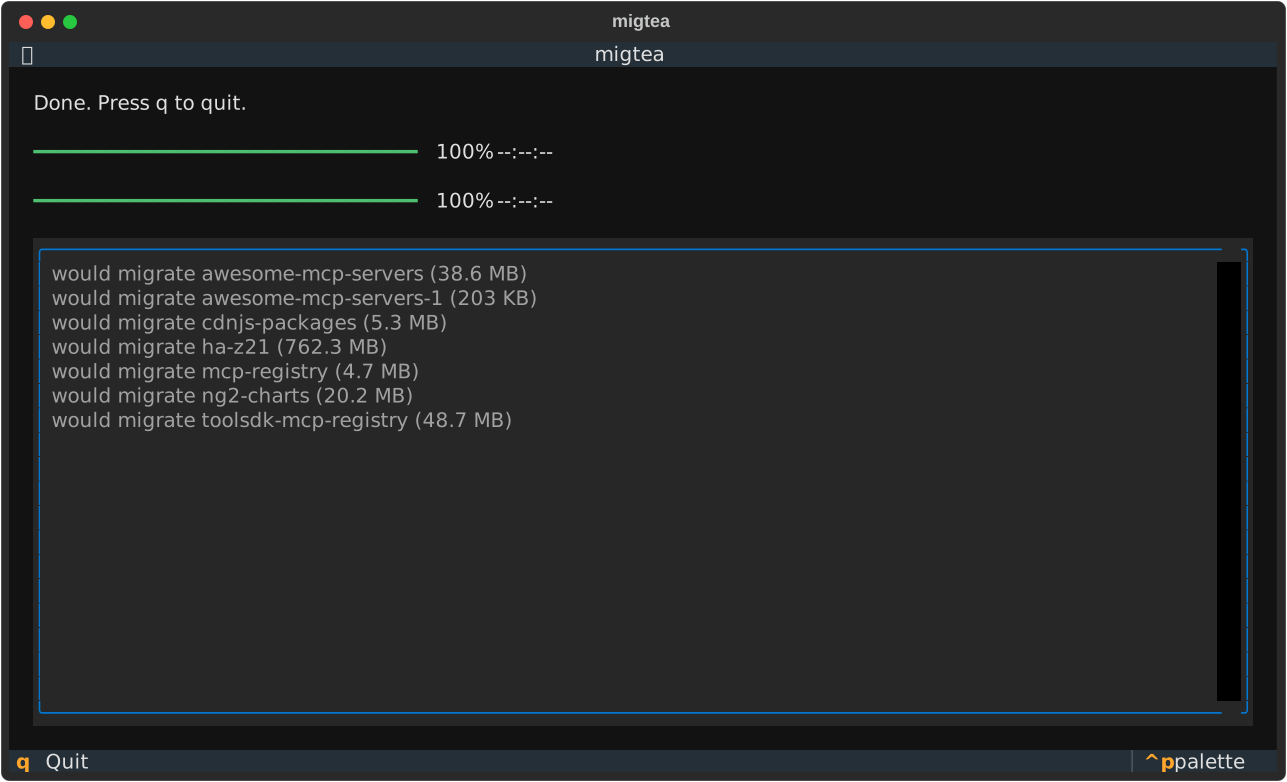
4. Migrate. Each repo is migrated in turn with a per-repo progress bar and a size-weighted total bar, while a log pane streams the result of every repo as it finishes.
| Direction | How | Transfers | Does not transfer |
|---|---|---|---|
| GitHub → Gitea (default) | tea repos migrate --service github |
Code, wiki, LFS, issues, labels, milestones, releases, pull requests | GitHub Actions history, Projects, Discussions, stars, webhooks, branch protection |
| Gitea → GitHub | git clone --mirror → gh repo create → git push --mirror |
Code, all branches and tags, best-effort wiki | Issues and pull requests (GitHub has no import API) |
Pass --direction gitea-to-github to reverse, or press d in the UI to flip.
migtea never reads, prints, logs, or stores any token. GitHub auth is delegated
to gh; Gitea auth is delegated to tea. For private GitHub repositories,
migtea hands the output of gh auth token straight to tea's --auth-token
flag in memory so Gitea can clone them; the value never touches disk or the log.
migtea [--direction {github-to-gitea,gitea-to-github}] [--dry-run] [--version]
--dry-run walks the entire flow but replaces the migration call with an
existence check, so you can rehearse safely before moving anything.
Apache-2.0.
Copyright © 2026 botmonster.com