v1.0.0 | Built for Claude Opus 4.8 | MIT
Generate a production-ready, best-practice Claude Code harness -- fully tailored to your use case, in minutes, at any skill level. Or validate, update, and improve a harness you already have.
A harness is a complete Claude Code setup for a project: CLAUDE.md + rules + specialized agents + slash-command skills + memory + scoped permissions + self-learning. Normally you hand-craft all of that over days and still end up with contradictions, bloat, and broken references. The Harness Generator interviews you (or takes a preset), then builds the whole thing -- coherent, validated, and immediately usable.
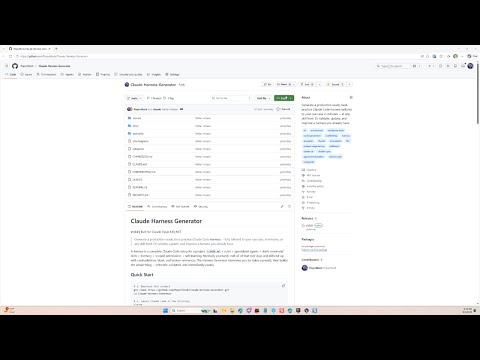
# 1. Download this project
git clone https://github.com/Popschlock/Claude-Harness-Generator.git
cd Claude-Harness-Generator

# 2. Launch Claude Code in the directory
claude

# 3. Create your harness -- then just answer the prompts
/create
That is the whole flow. Answer a short interview -- your domain, tools, team shape, how autonomous Claude should be -- and the Harness Generator writes a complete, tailored harness to a path you choose. No Claude Code expertise required: the interview does the work, and everything generated follows current best practices.
It tailors to whoever you are:
- Solo dev or enterprise team -- memory tier, roles, and coordination scale to team size
- With or without source control -- Git, Perforce, or none
- With or without MCP servers / external tools -- only the integrations your intake justifies, never speculative
- One focused project or a multi-area hub -- several related work areas sharing a parent configuration layer
- Any domain -- software, data, DevOps, game dev, research, legal, finance, hiring, support, and more
The full run takes about 10-20 minutes including the interview.
1. Create a new harness. Pick a preset (one of 4 base profiles or 16 ready-to-use bundled domains -- fast) or request a custom build where the architect synthesizes a reusable profile for your exact use case. The Generator then designs the architecture, generates every file in five focused passes, and validates the result before handing it to you.
2. Improve a harness you already have.
| Command | What it does |
|---|---|
/validate-environment |
Structural + quality check of an existing harness (references resolve, frontmatter valid, sizes, routing, hub registry) |
/upgrade-environment |
Audits an existing harness against current best practices, interviews you about pain points, and implements the improvements you approve (including single <-> multi-area-hub conversions) |
/update |
Refreshes the Generator's own best-practices knowledge base (web research, or a local-only mode that just ingests the ProvideKnowledge folder) |
- Claude Code CLI
- An Anthropic API key or a Claude subscription
The intake offers a preset path (fast) or a custom path (more tokens/time,
best for long-lived harnesses) where the architect synthesizes a reusable
DOMAIN_PROFILE.md. Docs/StarterProfiles/DOMAIN_REFERENCE.md maps ~20 common
domains to a recommended starting point.
| Profile | For |
|---|---|
| Software Development | Web apps, APIs, libraries, CLI tools |
| Knowledge Work | Legal, research, finance, writing |
| Data & Analysis | Accountants, analysts, reporting, dashboards |
| DevOps & Infrastructure | DevOps engineers, SRE teams, platform engineers |
Ready-to-use, adversarially audited domain profiles in Docs/DomainLibrary/:
api-design, book-publishing, course-design, customer-support,
data-engineering, data-science, financial-modeling, game-development,
grant-writing, hiring-pipeline, legal-research, llm-app, market-research,
product-management, security-audit, social-media. The high-stakes domains (legal,
finance, security, support, hiring) ship with the relevant professional/regulatory
safeguards built in.
Don't fit any preset? The custom path builds a configuration from scratch via a deep interview.
your-project/
|-- CLAUDE.md                    # AI assistant behavior and routing
|-- .claude/
|   |-- settings.json            # Permissions and tool access
|   |-- rules/                   # Orchestration, autonomy, context, self-learning, errors
|   |-- agents/                  # Specialized AI agents for your domain
|   |-- skills/                  # Commands: /state-save, /state-load, /update, /health-check
|-- Docs/
    |-- GETTING_STARTED.md       # Plain-language guide for your team
    |-- Memory/                  # Project knowledge (scales with your team)
    |-- State/                   # Session snapshots for save/resume
    |-- Retro/                   # Self-learning observations and proposals
    |-- Environment/             # Generation metadata and evolution log
Generated harnesses are immediately effective out of the box. The built-in
self-learning system (/update) then refines routing, agents, and rules based on
your actual usage, closing in on a hand-tuned configuration within weeks.
| Command | What it does |
|---|---|
/state-save |
Saves session progress so you can close and resume later |
/state-load |
Restores context from a saved session |
/update |
Analyzes usage patterns and proposes improvements |
/health-check |
Validates harness integrity and reports issues |
The Harness Generator uses an orchestrator + subagent pattern with 5 agents:
- Orchestrator (CLAUDE.md + rules): routes requests, coordinates the pipeline, presents results
- Intake Interviewer (Sonnet): deep project interviews when presets don't fit
- Environment Architect (Opus): designs the architecture from intake answers + best practices; picks a team-architecture pattern and execution mode; writes
DOMAIN_PROFILE.mdfor custom builds - Component Generator (Opus): writes harness files in five focused passes
- Environment Validator (Sonnet): runs the quality checklist + skill-triggering tests, a Phase-0 drift audit, and boundary-crossing checks
- Upgrade Analyzer (Opus): compares an existing harness against best practices and writes tiered recommendations
All agent output is written to disk (artifact-first), keeping the main context lean.
Claude-Harness-Generator/
|-- CLAUDE.md                           # Generator behavior
|-- .claude/
|   |-- rules/                          # 4 rules (creator-core, intake-protocol, generation-standards, quality-gates)
|   |-- agents/                         # 5 agents (interviewer, architect, generator, validator, upgrade-analyzer)
|   |-- skills/                         # 4 skills (create, validate-environment, upgrade-environment, update)
|-- Docs/
    |-- AgentGuidelines/                # Best-practices knowledge base (18 topics)
    |-- AgentPlaybooks/                 # 6 step-by-step process guides (+INDEX)
    |-- Templates/                      # Annotated reference implementations (52 files)
    |-- StarterProfiles/                # 4 slim base profiles (+ PROFILE_FORMAT, DOMAIN_REFERENCE)
    |-- DomainLibrary/                  # 16 bundled domain profiles
    |-- ProvideKnowledge/               # Drop zone for user-contributed knowledge
- The
/createskill verifies the target directory and writesCREATION_CONTEXT.md - The orchestrator runs intake -- experience level, work-area shape, preset-vs-custom (or a deep interview)
- Intake answers are written to
GENESIS.mdin the target directory (multi-area hubs also getHUB_GENESIS.md) - The environment-architect designs the full architecture (
ARCHITECTURE.md); custom builds also write a reusableDOMAIN_PROFILE.md - The component-generator writes files in five passes (foundation -> agents -> skills -> infrastructure -> docs); hubs add a shell pass
- The environment-validator runs the quality checklist (see
Docs/Templates/References/validation-guide.md) - The orchestrator presents the result with smoke-test instructions
See CONTRIBUTING.md for how to add starter profiles or bundled domains, create or update templates, improve the knowledge base, and test changes.
MIT. See LICENSE.