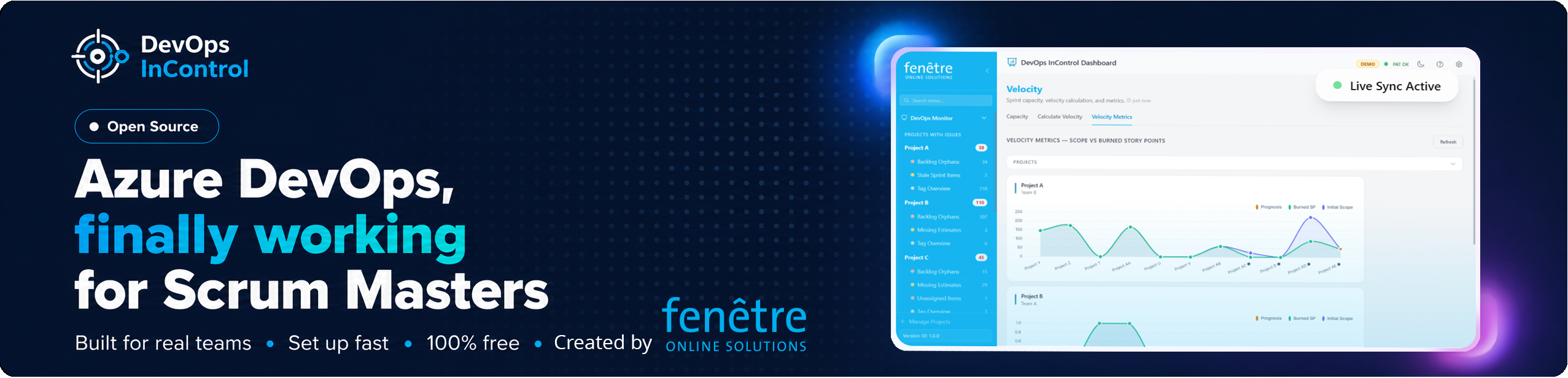
A control and management application for Microsoft Azure DevOps made by scrummaster Berend and the AI Technocore.


- Portfolio Roadmap – Visualise Epics and Features on a timeline across multiple projects and teams. Drag-to-reschedule, create dependency links, and push all changes to Azure DevOps in one batch.
- Sprint Populator/Templates – Save time by cloning sprint templates and common tasks into active sprints with a single click. Selectively include or exclude individual items before applying.
- Sprint Creator – Create new sprints directly from the dashboard with auto-suggested names, dates, and parent paths based on existing patterns.
- Template Manager – Create, delete, copy, and migrate work item templates across projects and teams with field-level control and custom field detection.
- Automated Project Health Checks – Instantly flag missing estimates, orphaned tasks, stale sprint items, and unassigned work items that clutter your backlog.
- Orphan Parent Assignment – Assign or change parent work items directly from the orphan check with smart candidate suggestions ranked by relevance.
- Unified PR Monitor – Track pull requests across all organizations and repositories in one view; identify unreviewed, rejected, or stagnant PRs at a glance.
- PR Reviewer Bottlenecks – See which reviewers have the most pending reviews, grouped by person, to quickly identify approval bottlenecks.
- PR Approval & Stale Detection – Surface PRs that are approved but not yet completed, PRs with no reviewers, and PRs inactive for a configurable number of days.
- Resolved PR Ready – Identify tasks and bugs with all required PRs completed, ready to move to Done.
- One-Click Notifications – Send automated email reminders to assignees directly from the dashboard for missing estimates or overdue tasks.
- Team Velocity Tracking – Monitor planned vs. actual capacity across sprints with per-team and per-sprint breakdowns to improve future forecasting.
- Sprint Capacity Management – Set and update team member capacity, activities, and days off per sprint directly from the dashboard — no need to navigate Azure DevOps.
- Developer Assessment – Gain insights into code review participation, PR turnaround speeds, stale reviews, open PR counts, and individual delivery trends over configurable time ranges.
- Pipeline & Release Monitor – A bird's-eye view of your build pipeline runs and release deployment statuses per project.
- Database Governance – Automatically verify that your SQL Server and PostgreSQL databases correspond to active DevOps tickets and flag "orphaned" databases with configurable rules.
- Permission Overview – Full matrix views of repository, area, pipeline, release, and wiki permissions per project with group membership resolution.
- Check Permissions – Audit whether your DevOps projects conform to configurable security rules, and exclude irrelevant projects from the scope via a deny-list.
- Personal Access Audit – Look up specific people to see which organizations and projects they can access, helping minimize unnecessary permissions after offboarding or role changes.
- Tag Management & Health – Scan your entire project to see which tags are in use and how many items each tag covers.
- Tag Bulk Operations – Delete ghost tags, rename tags across all work items, and remove tags in bulk directly from the dashboard.
- Smart Version Filtering – Logic that automatically hides noise like version numbers (v1.2.0) so you can focus on functional tags.
- Windows Installer – One-click setup executable with Start Menu integration, auto-start, and proper uninstaller. No developer tools required.
- Dark Mode – Full dark/light theme toggle with system preference detection.
- Demo Mode – Showcase the dashboard with anonymized data without exposing real project information.
- Multi-Project & Multi-Org Support – Monitor multiple Azure DevOps projects across different organizations from a single dashboard.
A dashboard that monitors your Azure DevOps backlogs, pull requests, and sprint health.
Runs locally on your Windows PC — no cloud hosting needed.
- Download
DevOpsInControl-1.2.0-Setup.exefrom the Releases page. - Run the installer — no admin rights needed. It installs to your user profile.
- Launch from the Start Menu → "DevOps InControl".
- Follow the setup wizard in your browser to connect your Azure DevOps organization.
That's it. No .NET SDK, no Node.js, no command line needed.
Prerequisites: The installer requires the .NET 8 ASP.NET Core Runtime (not the SDK — just the runtime). The installer will warn you if it's missing.
If you want to build from source or contribute, you'll need additional tools:
| Prerequisite | How to get it |
|---|---|
| Windows 10/11 | You're probably already on it. |
| .NET 8.0+ SDK | Download from dotnet.microsoft.com/download/dotnet/8.0. Pick the SDK installer. |
| Node.js 18+ | Download from nodejs.org. Pick the LTS version. |
| Azure DevOps PAT | See Create a PAT below. |
To check if you already have them, open PowerShell and run:
dotnet --version   # should print 8.x.x or higher
node --version # should print v18.x.x or higher, tested on v18 and v22.\scripts\install.ps1This will verify prerequisites, build the frontend, publish the backend, create a Start Menu shortcut, and register in Apps & Features.
.\start.ps1 -Dev.\scripts\Build-Installer.ps1Requires Inno Setup 6. Outputs DevOpsInControl-<version>-Setup.exe in the repo root.
Installed via Setup.exe: Open the Start Menu → "DevOps InControl". A terminal window opens and your browser navigates to the dashboard automatically.
From source: Run .\start.ps1 in PowerShell. Your browser will open to http://localhost:5172.
- Set a password — protects your dashboard.
- Enter your Azure DevOps organization name and PAT — the wizard verifies they work.
- Pick your first project — select which Azure DevOps project to monitor.
After setup, the dashboard is ready. Bookmark http://localhost:5172 for next time.
Tip: If you enabled auto-start during installation, the app starts silently every time you log into Windows. Just open the bookmark.
- Go to dev.azure.com and sign in.
- Click your profile picture (top right) → Personal access tokens.
- Click + New Token.
- Give it a name (e.g. "DevOps InControl").
- Set the expiration to the maximum your organization allows.
- Click 'Show all scopes'
- Under Scopes, select:
- Build (Read) — pipeline runs overview
- Code (Read) — pull request monitoring
- Graph (Read) — group membership resolution
- Identity (Read) — permission checks
- Project and Team (Read) — project and team listing
- Release (Read) — release deployments overview
- Security (Manage) — repo & area permission audits
- Wiki (Read) — wiki permission checks
- Work Items (Read & Write) — backlog checks, sprint monitoring, tag management
- Click Create and Copy the token — you won't see it again.
Paste this token into the setup wizard when prompted.
Installed: Press Ctrl+C in the DevOps InControl terminal window, or close it.
From source: Press Ctrl+C in the PowerShell window where start.ps1 is running.
If it was started automatically (background mode), run:
Get-Process -Name DashboardApi | Stop-ProcessInstalled via Setup.exe: Settings → Apps → "DevOps InControl" → Uninstall.
From source: Run .\scripts\Uninstall-DevOpsInControl.ps1 to remove shortcuts, scheduled tasks, and registry entries. Your configuration is preserved.
Installed via Setup.exe: Download and run the latest installer. It upgrades in place and preserves your configuration.
From source:
git pull
.\scripts\install.ps1| Problem | Solution |
|---|---|
dotnet: command not found |
Install the .NET 8 SDK and restart PowerShell. |
npm: command not found |
Install Node.js and restart PowerShell. |
| Build fails with "file is locked" | Another instance is running. Run Get-Process -Name DashboardApi | Stop-Process first, then try again. |
| Browser shows raw HTML text | Run .\scripts\install.ps1 again to rebuild, then .\start.ps1. |
| "Execution of scripts is disabled" | Run Set-ExecutionPolicy -Scope CurrentUser RemoteSigned and try again. |
| Port 5172 already in use | Run f.e. .\start.ps1 -BackendPort 9090 to use a different port. |
We are not accepting external pull requests for this repository at this time.
This repository is maintained by Fenêtre BV. Issues, suggestions, or questions may still be shared through the appropriate communication channels, but unsolicited pull requests may be closed without review.
Thank you for your understanding.


